
iOS export is available on the AIWA Agency plan.
Before You Export
Your application should first pass the Mobile Readiness Scan. The flow is:Your Project Is Mobile-Ready
After a successful readiness scan, AIWA gives you the next actions for mobile export.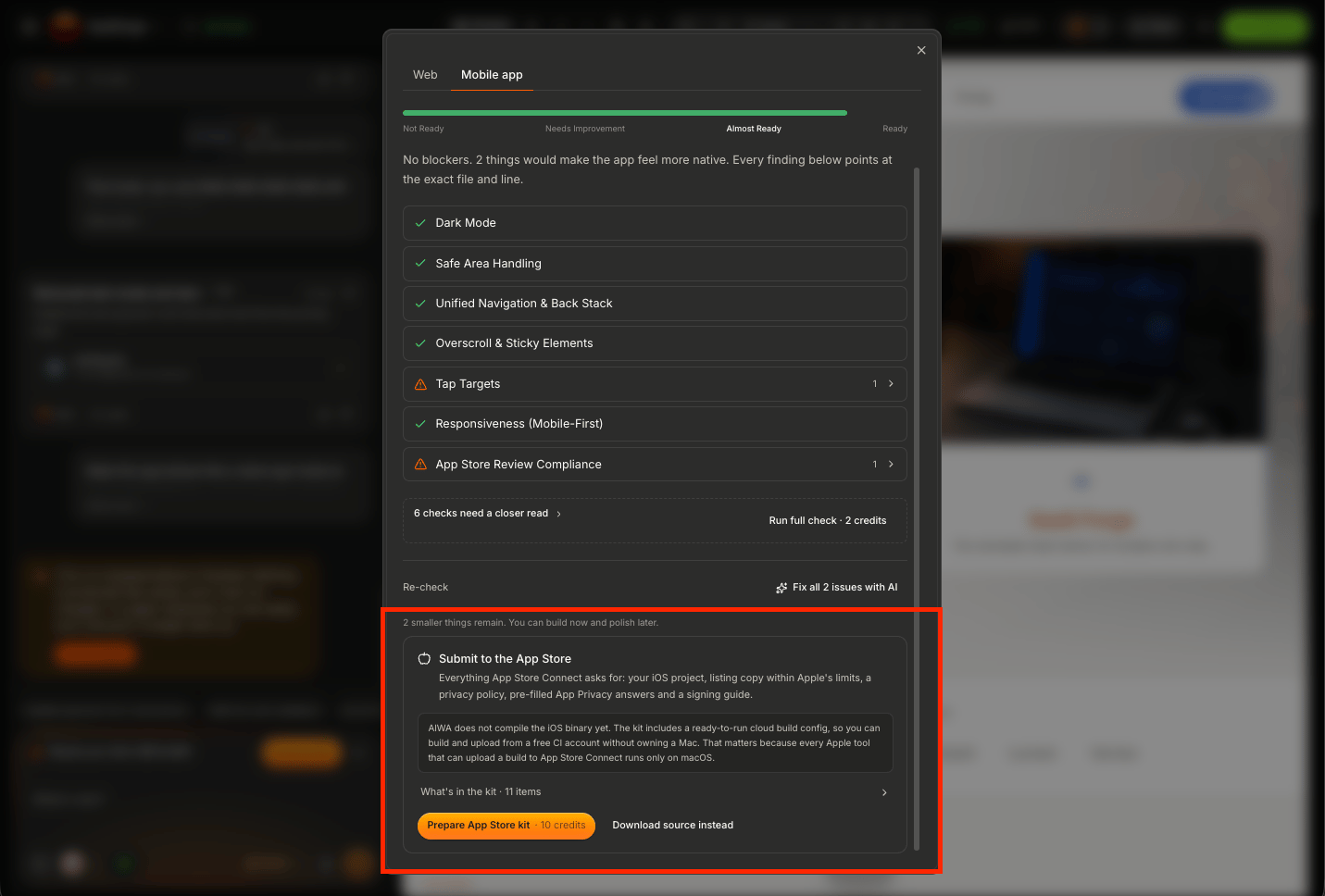
Option 1: Build the iOS App
Choose Build App when you want AIWA to generate the iOS version for you. AIWA handles the build process from the mobile-ready project.Start the iOS Build
From the Mobile Export interface, choose the iOS build option.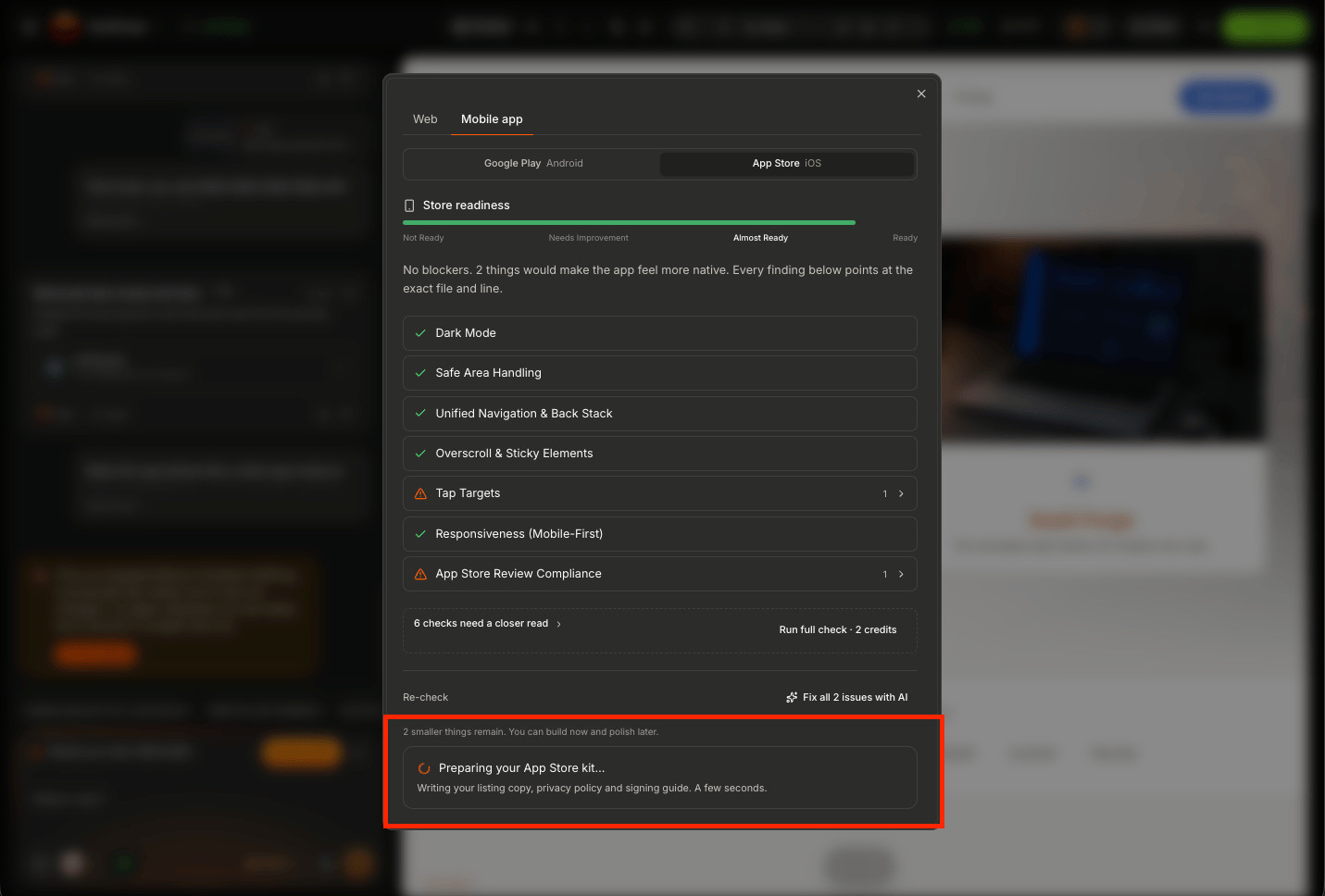
When the Build Is Ready
Once AIWA successfully completes the process, the iOS build files become available for download.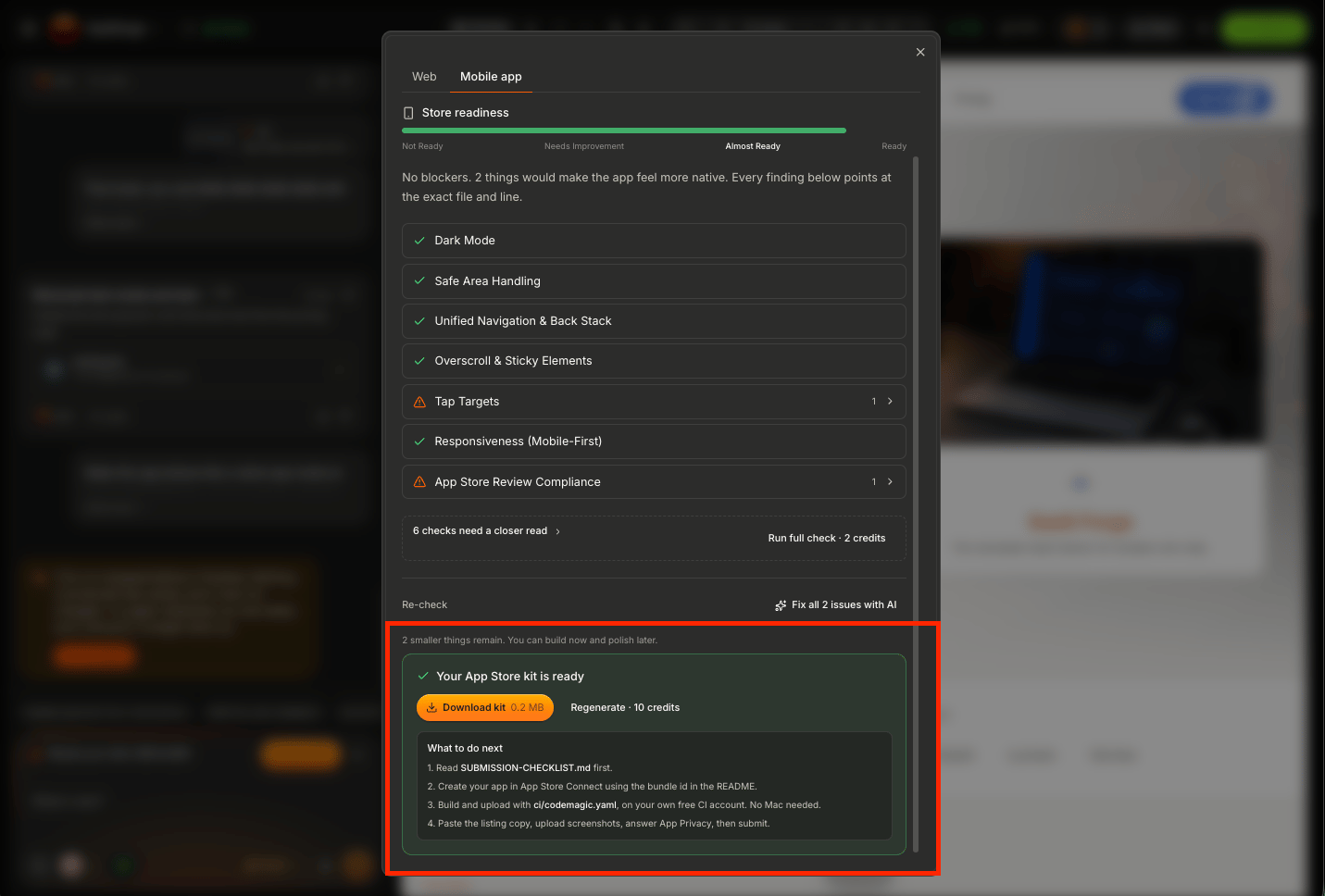
Apple Developer Account
If you eventually want to distribute the application through Apple’s App Store, you’ll need your own Apple Developer account. AIWA doesn’t replace Apple’s developer enrollment or App Store distribution process. Conceptually:Your Apple Developer account is handled outside AIWA and is required when you’re ready to take an exported app toward App Store distribution.
Option 2: Download the Source Files
You can also download the mobile source files instead of relying only on AIWA’s generated build.Why Download the Source?
Source export can be useful when you want to:- Continue development outside AIWA
- Review the generated mobile project
- Make custom mobile changes
- Hand the project to an iOS developer
- Manage your own build process
- Maintain your own release workflow
- Prepare the application for Apple-specific distribution steps
Build vs Download Source
The choice is straightforward. Build App Use AIWA to generate the iOS build.Test the iOS Experience
Generating the files isn’t the same as validating the application. Before moving toward public distribution, test the iOS experience thoroughly. Check:- Authentication
- Navigation
- Forms
- Database interactions
- Buttons and touch interactions
- Uploads
- Images
- External links
- Integrations
- Mobile layouts
- Critical product workflows
Test Authentication
Authentication deserves particular attention on mobile. Test:Test Your Database Workflows
If your application uses Neon Postgres, verify that the mobile app can work with the application’s data correctly. For example:Test External Integrations
If your application uses connectors, test the workflows from the mobile experience too. For example:- Stripe
- Resend
- Twilio
- Cloudinary
- AI providers
- Calendly
- Google services
External Links
Some functionality may leave the application temporarily. For example:- Payments
- Scheduling
- Authentication
- Documents
- External websites
Mobile Payments
Payments require extra attention for App Store-distributed products. The rules can depend on what the application sells. There may be important differences between:- Physical products
- Real-world services
- Digital subscriptions
- Digital features
- In-app content
Fixing Problems After Export
If you find an issue in the generated iOS version, return to the AIWA project and describe the problem. For example:The application passed Mobile Readiness, but on the iOS build the login form is partially hidden when the keyboard opens. Fix the mobile layout without changing the desktop experience.Then repeat:
If the iOS Build Fails
If AIWA fails to generate the iOS build, use any error information shown. For example:Expected: The mobile-ready project should generate the iOS build. Mobile Readiness: Passed Actual: The iOS build starts but fails before the files become available. Error: [PASTE ERROR] Debug the iOS build issue without changing unrelated application functionality.This gives AIWA a focused problem to investigate.
Re-Exporting After Changes
Your iOS application can evolve alongside the project. For example:Web and iOS Can Be the Same Product
Your product can exist across both experiences.iOS Export for Agencies
For agency work, decide ownership before taking the application toward public distribution. Clarify:- Who owns the app?
- Whose Apple Developer account will be used?
- Whose branding should appear?
- Who manages future releases?
- Who handles App Store requirements?
- Who maintains the application?
iOS Export vs App Store Distribution
AIWA’s iOS export and Apple’s App Store submission are separate processes. AIWAStore Approval Is Separate
A successful AIWA export doesn’t guarantee App Store approval. Apple has its own requirements related to areas such as:- Developer enrollment
- Application functionality
- Store metadata
- Privacy
- Data handling
- Permissions
- Payments
- Content
- Review policies
Always check Apple’s current App Store requirements before submitting an application.
Before Moving Toward the App Store
Before beginning Apple’s distribution process, confirm:- Mobile Readiness passed
- iOS build generated
- Core application works
- Authentication works
- Navigation works
- Database functionality works
- Integrations work
- Mobile layouts work
- Critical workflows work
- External links work
- No sensitive credentials are exposed
- The application has been tested
Complete iOS Export Workflow
The AIWA workflow is:Next: Submitting to the App Store
Next, we’ll cover what happens outside AIWA when you take your exported iOS application toward Apple’s App Store.Submitting to the App Store
Prepare your exported iOS application for Apple’s App Store distribution.