
- Accept payments with Stripe
- Send transactional emails with Resend
- Send SMS messages with Twilio
- Store and deliver media with Cloudinary
- Add AI features using OpenAI, Claude, Gemini, or Grok
- Connect calendars and meetings
- Access files from Google Drive
Connect the services your product needs. Then tell AIWA what you want to build with them.
What is a connector?
A connector is a bridge between your AIWA application and an external service. For example, imagine you’re building a SaaS application and want customers to pay for subscriptions. AIWA can build:- Your pricing page
- Plan selection
- Checkout flow
- Subscription logic
- Billing interface
- Feature restrictions
Why connectors are needed
Some functionality belongs to your application. Other functionality depends on specialized external platforms. For example:
Instead of trying to recreate these services, AIWA can connect them to the product you’re building.
Connect once, then build
The connector workflow is designed to separate configuration from product development. For example, instead of repeatedly providing Stripe credentials whenever you want to change your billing system, you connect Stripe through AIWA’s connector experience. Then you can focus on requests such as:Add a Pro subscription for $49/month.Later:
Add a billing page where customers can see their current plan and manage their subscription.Then:
Restrict the analytics dashboard to Pro subscribers.You’re describing your product. The connector provides access to the external service required to power the experience.
Connecting a service isn’t the same as building with it
This is an important distinction. Connecting Stripe doesn’t automatically add payments to your application. Connecting Resend doesn’t automatically start sending emails. Connecting OpenAI doesn’t automatically add AI features. A connector makes the external service available for your application to use. You still tell AIWA what you want to build. For example:Connecting a Service
- API key
- Secret key
- Account authorization
- Project identifier
- Other service-specific credentials
Each connector has its own setup guide in this documentation. We’ll show you where to obtain the required credentials and how to connect them to AIWA.
API keys explained
Many external services use an API key to identify and authorize your application. An API key may look something like:API keys are sensitive
Many API keys provide access to important functionality or account resources. Treat secret API keys like passwords. Don’t write prompts such as:My Stripe secret key is sk_live_xxxxxxxxx. Put it directly into the checkout code.Instead, add credentials using the supported connector or secure configuration experience provided by AIWA.
Public keys vs secret keys
Not every key has the same security requirements. Some services provide both public and secret credentials. For example: Publishable Key Can be used where the service specifically allows client-side use. Secret Key Must remain private and should only be used in secure server-side environments. AIWA’s connector-specific guides will explain which credentials are required. When in doubt, treat a credential as private.How AIWA Uses Connectors
Once a service is connected, you can describe the functionality you want. For example, after connecting Resend:When someone submits the contact form, send them a confirmation email and notify our sales team.AIWA can build the workflow around the connected service. Conceptually:
Example: Stripe
Suppose you’re building a SaaS application. First, connect Stripe. Then tell AIWA:Add Starter, Pro, and Business subscriptions at 49, and $99 per month. Customers should be able to choose a plan from the pricing page and manage their subscription from Account Settings.AIWA can use the connected Stripe service while building the required billing workflow. Your product might eventually involve:
Example: Resend
Connect your Resend account. Then:Send a welcome email whenever a new user successfully creates an account.Or:
Send customers a confirmation email after their booking is created.Or:
Email the assigned sales representative whenever a new qualified lead enters the CRM.The connector handles access to the email service. Your prompt defines when and why it should be used.
Example: AI Models
You can also connect supported AI providers when your application needs AI functionality. For example, after connecting an AI provider:Add an AI assistant to the customer support dashboard. It should help agents draft responses using the customer’s conversation context.Or:
Add a product description generator. Users should provide a product name, features, target customer, and tone, then generate three descriptions.This lets you use AI capabilities inside the applications you build with AIWA.
Connectors can work together
Your product isn’t limited to using one external service. Imagine you’re building an AI sales platform. It might use:When a new lead submits the consultation form, save the lead, use AI to generate a short qualification summary, show it in the CRM, and email the sales team.One user action can trigger a workflow involving several parts of your product.
Credentials and Security
Credentials used by connectors should be treated as sensitive application secrets. AIWA’s connector experience is designed so that you can configure the credentials required by your application without intentionally placing secret values into public-facing application code. You should still follow good security practices:- Don’t share secret keys with other users
- Don’t put secrets into frontend code
- Don’t publish keys in GitHub repositories
- Don’t include real keys in screenshots
- Don’t paste secrets into public documentation
- Revoke credentials if you believe they’ve been exposed
- Use test credentials while developing when the provider supports them
Test and production credentials
Some services provide different environments for development and production. Stripe, for example, provides testing capabilities so you can build payment workflows without charging real customers. Where supported, a good workflow is:What happens if a connector stops working?
An external integration can fail for several reasons. For example:- A key was revoked
- A credential expired
- The account configuration changed
- The service rejected a request
- Required permissions are missing
- A provider is temporarily unavailable
Booking records are being created correctly, but confirmation emails stopped sending.That suggests the booking workflow itself may be working while the email portion requires investigation. Use Debug Mode and describe exactly what is happening.
Give AIWA useful debugging information
For example:Confirmation emails stopped sending through Resend. Bookings are still being saved successfully. Debug the email portion of the booking workflow without changing the existing booking functionality.If you have an error message, include it. But don’t paste the secret credential itself.
Removing or changing a connection
You may eventually need to:- Replace an API key
- Rotate a compromised credential
- Change accounts
- Move from test to production credentials
- Stop using an integration
Before connecting a service
Ask yourself: What does my application need the service to do?Send booking confirmations.Which service provides that capability?
Resend.Do I have the required account?
Yes.What credentials or authorization does it require?
Follow the connector-specific guide.What should happen in my application?
After a booking is successfully created, send the customer a confirmation.This keeps the integration tied to an actual product requirement.
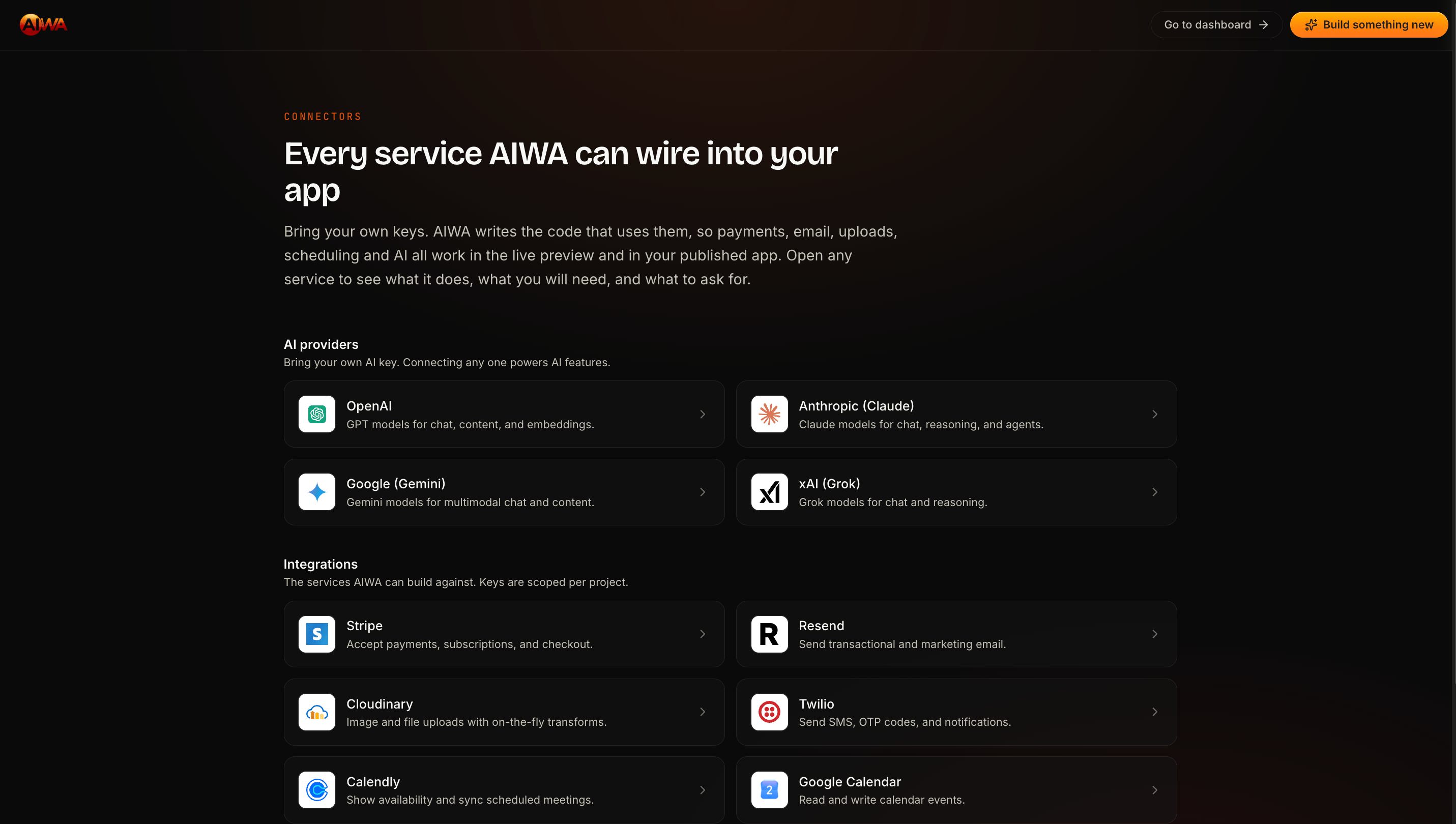
Supported Connectors
The following connector guides are covered in this section: Payments- Stripe
- Resend
- Twilio
- Cloudinary
- OpenAI
- Anthropic (Claude)
- Google (Gemini)
- xAI (Grok)
- Calendly
- Google Calendar
- Google Meet
- Google Drive
Need another connector?
If the service you need isn’t currently supported, AIWA may still be able to work with its API depending on your application and the service’s requirements. We’ll also cover how to request a new connector at the end of this section.Next: Stripe
Now that you understand how connectors work, we’ll start with one of the most common integrations: Stripe You’ll learn how to connect Stripe to AIWA and use it to build:- One-time payments
- Subscription billing
- Checkout flows
- Billing management
- Payment-driven application workflows
Stripe
Connect Stripe and build one-time payments, subscriptions, and billing.