
Describe the product. AIWA builds the application behind it.
From interface to working application
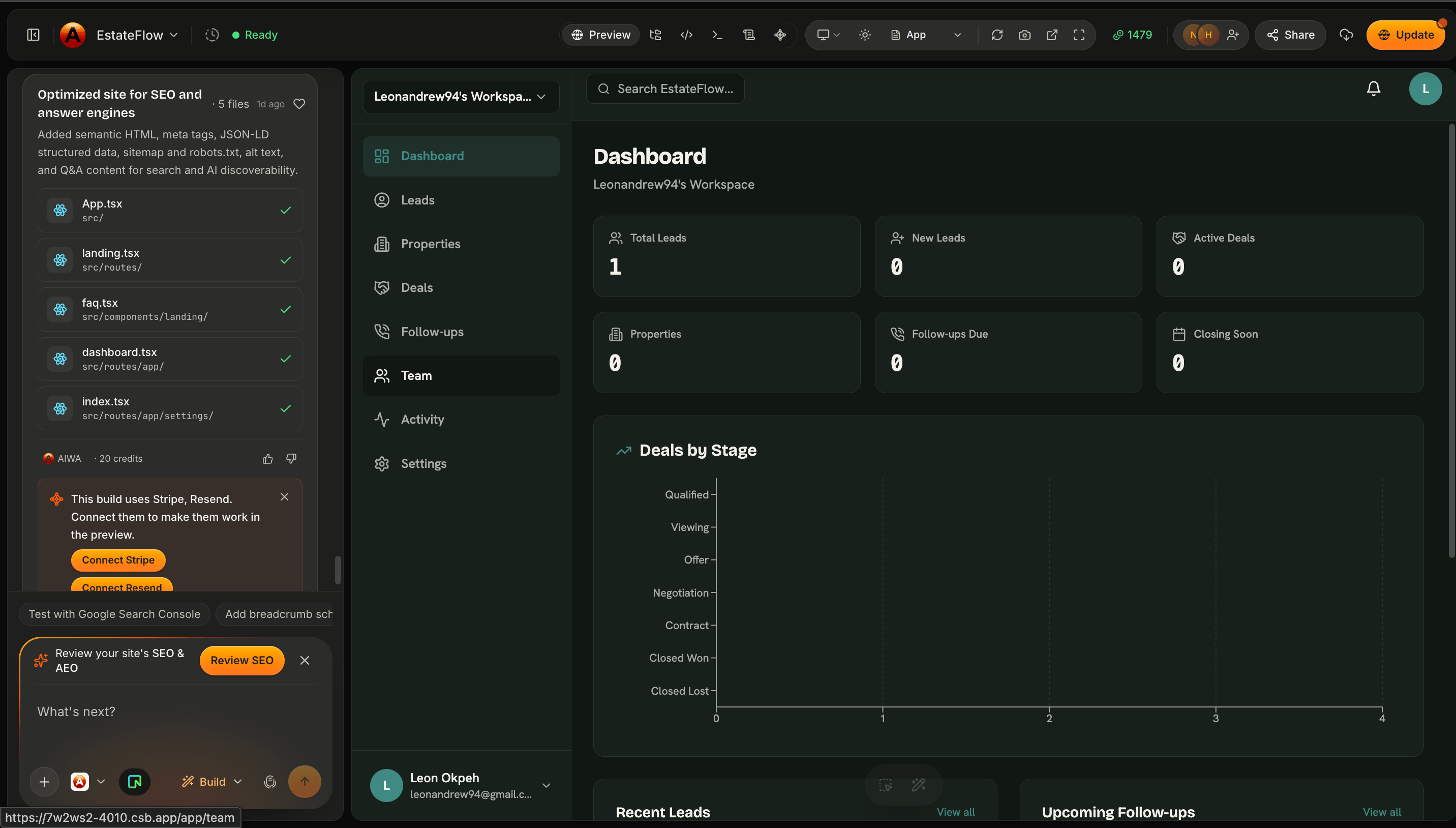
There’s an important difference between a website that looks functional and an application that actually works. Imagine you ask:Build a CRM for a real estate agency where agents can create accounts, manage leads and properties, track deals, and schedule follow-ups.A visual prototype could create the dashboard, forms, tables, and buttons. But a working CRM needs much more. It needs somewhere to store leads. It needs to know which user is signed in. It needs to retrieve the correct records. It needs to save changes. It needs server-side logic. It needs to protect private information. AIWA is designed to build these underlying systems alongside the interface.
What AIWA can handle
Depending on what your application requires, AIWA can work across several layers of the product.User interface
The pages and components your users interact with. This can include:- Landing pages
- Dashboards
- Forms
- Tables
- Navigation
- Settings
- Admin interfaces
- Responsive layouts
Database
Applications that need persistent information can use a database to store and retrieve data. For example: A CRM might store: Users → Leads → Properties → Deals → Follow-ups An e-commerce application might store: Customers → Products → Orders → Payments AIWA can create the data structures required by the product you’re describing.Authentication
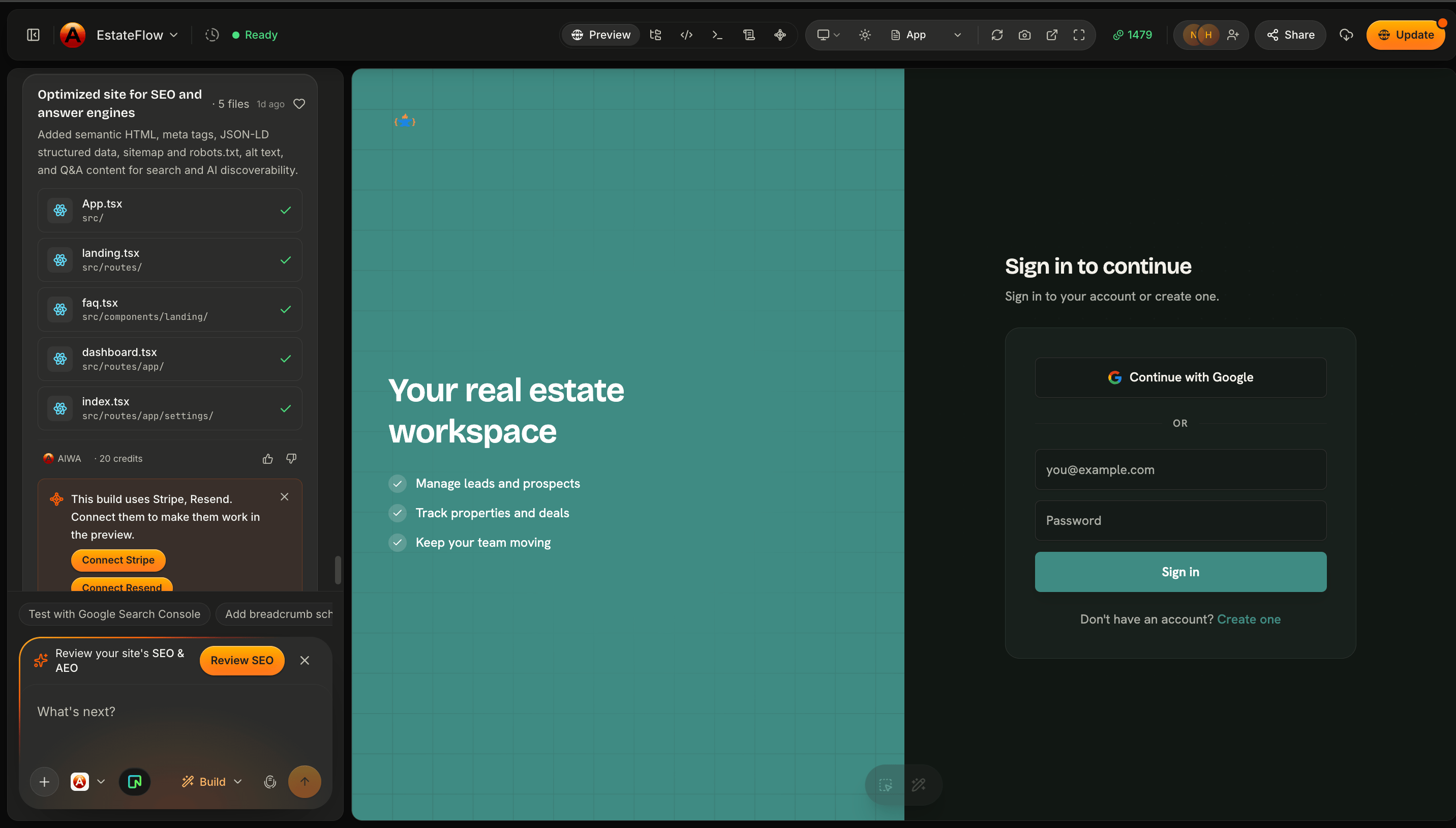
If your application requires user accounts, AIWA can add authentication. AIWA projects can support:- Google sign-in
- Email and password authentication
Backend functionality
Many application actions require logic that shouldn’t exist only in the browser. AIWA can build server-side functionality required by your product. For example:When a customer submits this form, save the enquiry and show it in the admin dashboard.Or:
Only workspace administrators should be able to delete team members.Or:
Calculate the total value of all active deals and display it on the dashboard.AIWA can translate product requirements like these into application behavior.
APIs
Different parts of an application often need a structured way to communicate with each other. AIWA can create APIs when they’re required by the application. For example, your dashboard may need to:- Retrieve customers
- Create a lead
- Update a project
- Delete a task
- Load dashboard statistics
What “zero config” means
Traditionally, building a full-stack application can require setting up several systems before you even begin building the product. You might need to:- Create a database
- Configure credentials
- Connect the application to the database
- Create database tables
- Configure authentication
- Build backend endpoints
- Connect the frontend to those endpoints
- Configure deployment
Build a client portal where customers can create accounts, log in, view their projects, and send messages to their account manager.You shouldn’t have to begin by telling AIWA:
First create a database connection, configure authentication, create user tables, build login endpoints…Your product requirement is the starting point.
“Zero config” doesn’t mean every external service requires no setup. Some integrations, such as payment, email, communications, or third-party APIs, may still require you to connect your own account or credentials.
AIWA understands product requirements
One of the ideas behind AIWA is that you shouldn’t need to translate every product requirement into an engineering requirement yourself. Suppose you say:Customers should be able to create an account and save properties to their favorites.From a product perspective, that’s a relatively simple sentence. But implementing it may require:
- Authentication
- User records
- Property records
- A relationship between users and saved properties
- Backend functionality
- UI states for saved and unsaved properties
Example: Building a CRM
Consider this prompt:Build a CRM for a real estate agency. Agents should be able to sign in, create leads, manage properties, track deals through a sales pipeline, schedule follow-ups, and view sales metrics from a dashboard.AIWA can determine that this application requires more than a collection of pages. Authentication Agents need identities and protected access. Database The application needs persistent records for things such as: Leads Properties Deals Follow-ups Users Relationships A deal may connect: Lead → Property → Agent A follow-up might connect: Lead → Agent → Due Date Backend logic The application needs to create, retrieve, update, and manage those records. Dashboard Metrics need to be calculated from real application data. Interface Agents need pages and workflows for interacting with everything. AIWA can work across these layers as part of building the product.
Your data persists
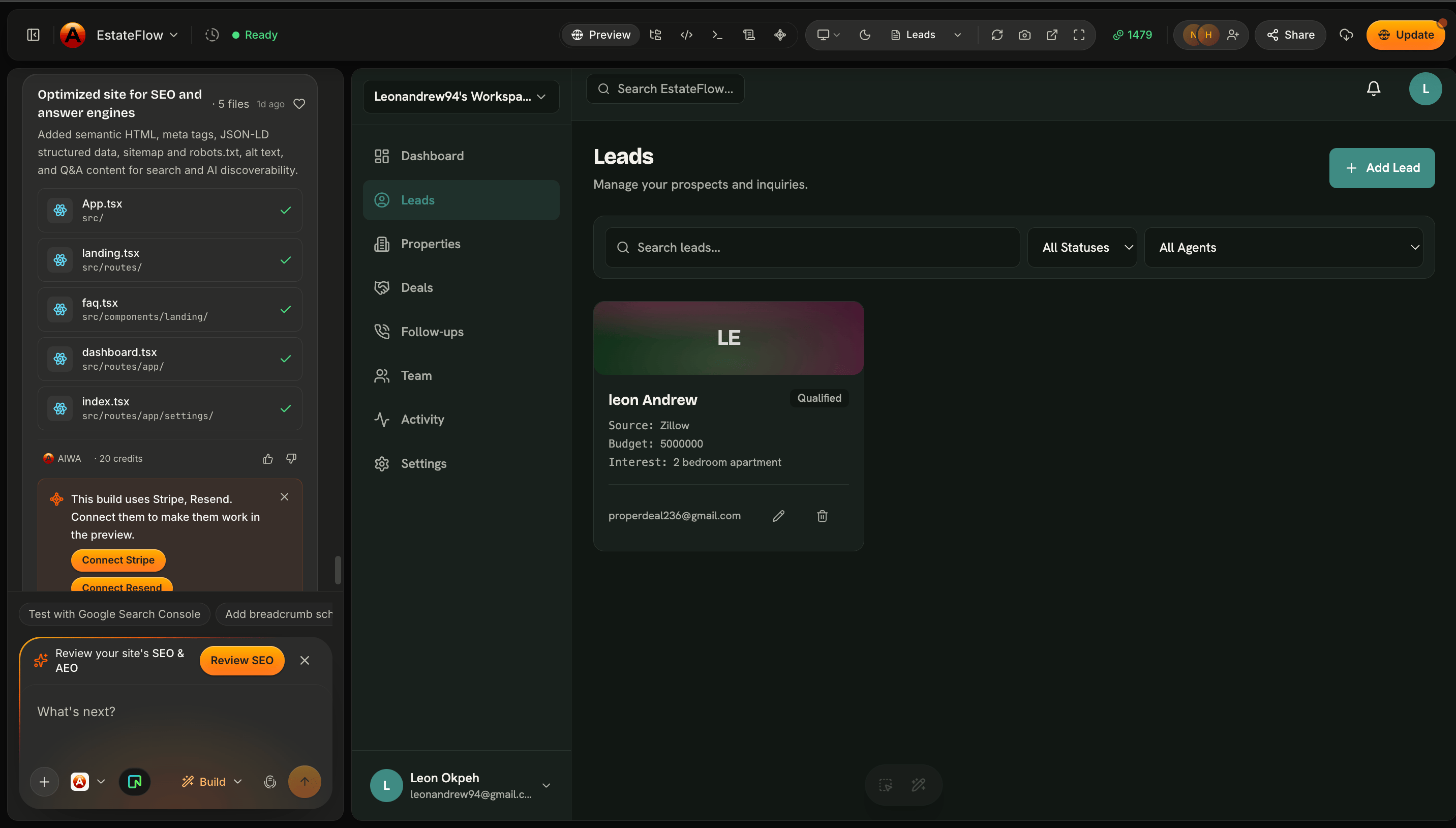
A working application shouldn’t lose important information every time the page refreshes. When your application uses a database, information can be stored persistently. For example, if a user creates a lead:Sarah Chen, Budget: $850,000, Status: Qualifiedthe record can be stored in the application’s database. When the user returns later, the application can retrieve that information again. This is what separates persistent application data from placeholder content that only exists in the interface.
Authentication protects your application
Some pages should be public. Others shouldn’t. For example, a SaaS application might have: Public- Homepage
- Pricing
- About
- Sign in
- Sign up
- Dashboard
- Customers
- Projects
- Billing
- Settings
You can keep extending the backend
The infrastructure AIWA creates isn’t limited to your first build. Suppose your original application only stores customers. Later you ask:Add projects to each customer.Then:
Allow each project to have tasks.Then:
Add comments to tasks.Then:
Notify team members when they’re assigned a task.Your application architecture can evolve alongside the product. This connects directly with the iterative development workflow we covered earlier.
External services work differently
Some functionality depends on services outside your AIWA project. Examples can include:- Stripe for payments
- Resend for email
- Twilio for communications
- Cloudinary for media
- AI model providers
- Calendar services
Send the customer a confirmation email after they submit the booking form.Or:
Create a Stripe checkout flow for the Pro subscription.We’ll cover these services in the Integrations (Connectors) section.
You don’t have to become a backend engineer
AIWA gives technical users the ability to build sophisticated applications, but the product requirements can still be expressed in normal language. Instead of:Create a POST endpoint that inserts a row into the leads table.you can say:
Allow agents to create leads.Instead of:
Add authorization middleware to this route.you can say:
Only administrators should be able to access this page and delete users.Instead of:
Create an aggregate query grouped by deal stage.you can say:
Show how much pipeline value we currently have at each deal stage.AIWA translates product intent into implementation.
Developers can still provide detailed technical requirements when they want greater control. AIWA doesn’t prevent technical prompting; it makes it optional for many workflows.
Website or application?
Not every project needs a database or authentication. For example:Build a portfolio website for a photographer.may primarily require pages, content, images, navigation, and a contact experience. But:
Build a client portal for a photographer where customers can sign in, view their galleries, select favorite photos, download approved images, and see invoices.requires significantly more application functionality. AIWA can adapt the implementation to what you’re actually building. The goal isn’t to add infrastructure unnecessarily. It’s to create the systems required by the product.
What AIWA handles vs what you provide
A useful way to think about the relationship is:
For external services, you may still need to provide or connect the appropriate account and credentials.
The result: a real application
AIWA isn’t designed only to make something that looks like software. It’s designed to help you build software that works. That means thinking across: Interface + Data + Authentication + Logic + APIs + Integrations + Deployment You don’t need to manually assemble each layer before you can begin. Start with the product. Tell AIWA what users should be able to accomplish. Your AI product team can help build the systems required to make that experience real.Next: Your Database
We’ve talked about the application infrastructure AIWA can create automatically. Next, we’ll look more closely at one of the most important parts of a dynamic application: Your Database We’ll cover how AIWA stores project data, how your application uses that data, and what happens as your data model evolves.Your database
See how AIWA provisions Neon Postgres and evolves your data model.