
Credit Cost Table
A full application build is typically around 50 credits. Because applications vary in complexity, treat this as an estimate rather than a guaranteed fixed cost.
Full App Build: ~50 Credits
A full app build is the initial creation of a new application from your idea. For example:Build a CRM for a real estate agency. Agents should be able to manage leads, properties, viewings and follow-ups. Include authentication, a dashboard and customer profiles.AIWA may perform several operations to turn that request into a working application:
Edit / Iteration: 10 Credits
Once your first version exists, you can continue working with AIWA to improve it. A standard edit or iteration costs 10 credits. For example:- Add a testimonials section to the homepage.
- Create a customer profile page.
- Improve the dashboard layout.
- Add another step to the onboarding flow.
- Make the application more responsive on mobile.
Auto-Debug Fix: 10 Credits
When AIWA performs a dedicated debugging operation to diagnose and fix a problem, the action costs 10 credits. For example:My signup form submits but the user isn’t being created. Find the problem and fix it.AIWA can investigate the issue and attempt to correct it.
AIWA also performs checks and self-healing during the normal generation process. Corrections that are part of completing the generation you’ve already requested aren’t necessarily separate debugging actions.
Plan Turn: 6 Credits
A Plan turn costs 6 credits. Plan Mode is useful when you want AIWA to reason through a substantial change before modifying your application. For example:Plan how we should add a marketplace to this application with sellers, buyers, listings, payments and commissions. Don’t build anything yet.You can review the proposed direction before moving into implementation.
Generate an Image: 4 Credits
Generating a new image costs 4 credits. This can include AI-generated visual assets used within your application. For example:Transcription: 2 Credits
AI-powered transcription costs 2 credits. Transcription allows AIWA to convert supported spoken input into text that can be used as part of your building workflow.Idea Shuffle: 2 Credits
Using AIWA’s idea shuffle functionality costs 2 credits. Idea Shuffle is a lightweight AI action designed to help you discover or explore something new to build. Because it requires substantially less work than building an application, it uses fewer credits.Publishing: 0 Credits
Publishing does not consume credits.Publishing availability and features such as custom domains can still depend on your AIWA plan. “0 credits” means the publishing action itself isn’t metered against your credit balance.
Hosting: 0 Credits
AIWA also doesn’t continuously deduct credits simply because a published application remains online. For example:Example: Building Your First App
Suppose you start with:Build a booking application for a fitness studio.Your approximate usage might begin with:
Add membership plans to the homepage.
Plan how recurring subscriptions should work before implementing them.
Example: Improving an Existing Product
Imagine you already have a live SaaS application. You ask AIWA to:Your Plan Doesn’t Limit You to a Fixed Number of Apps
When AIWA says a plan provides enough credits for approximately a certain number of full applications, that’s an estimate based on typical full-build usage. For example:Estimated vs Fixed Costs
Pay attention to the distinction on this page. Approximate- Full app build: ~50 credits
- Edit: 10 credits
- Debug: 10 credits
- Plan: 6 credits
- Image: 4 credits
- Transcription: 2 credits
Check Before You Build
AIWA shows your available credit balance inside your account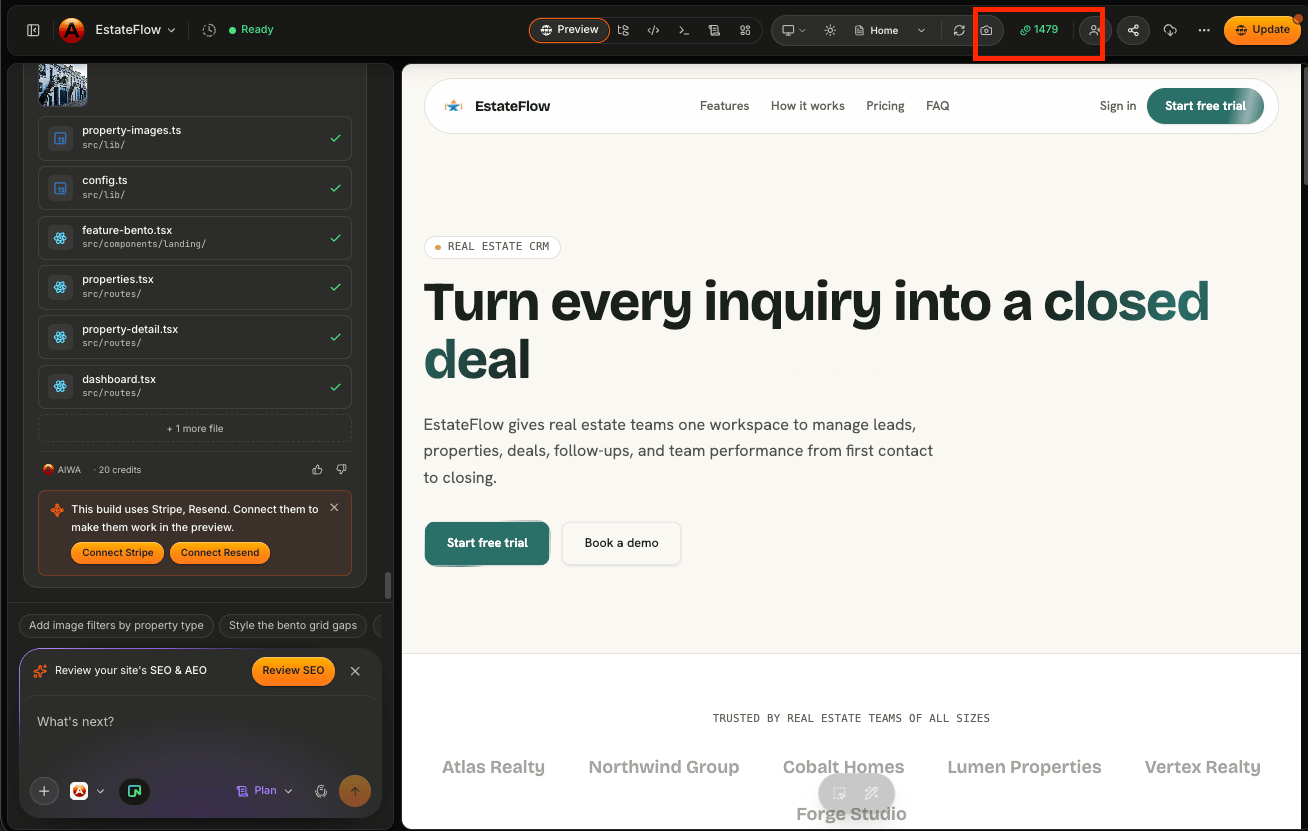
Quick Reference
If you only remember one part of this page, make it this:Next: Monthly Credits vs Top-Up Credits
Next we’ll explain the difference between the credits included with your plan each month and additional credits you can purchase separately.Monthly Credits vs Top-Up Credits
Understand how monthly and top-up credits behave differently.