
When Should I Top Up?
A top-up is useful when you’ve used most or all of your available plan credits but want to continue building. For example:- Building a larger application
- Working on several projects
- Making more iterations than usual
- Building applications for clients
- Debugging and improving an existing product
- Having a particularly busy month
Top-Up Pricing
AIWA top-ups start at:100 credits for $20That means additional credits are currently priced at:
$0.20 per creditFor example:
The amount displayed inside AIWA at checkout is the final price for the top-up you’ve selected.
Choosing a Top-Up Amount
AIWA gives you two ways to add credits. Choose a predefined package If one of the available credit packages matches what you need, simply select it. The entry package starts at:How to Top Up
From inside your AIWA account:1
Open the Credits area
Go to the Credits / Top-Up area.
2
Choose a package or Custom
Select one of the available credit packages or select the custom option.
3
Enter a custom amount if needed
If using Custom, enter the number of credits you want.
4
Review the total
Review the number of credits and price.
5
Continue to checkout
Continue to checkout and complete your payment.
6
Return to AIWA
Your additional credits will be reflected in your balance.
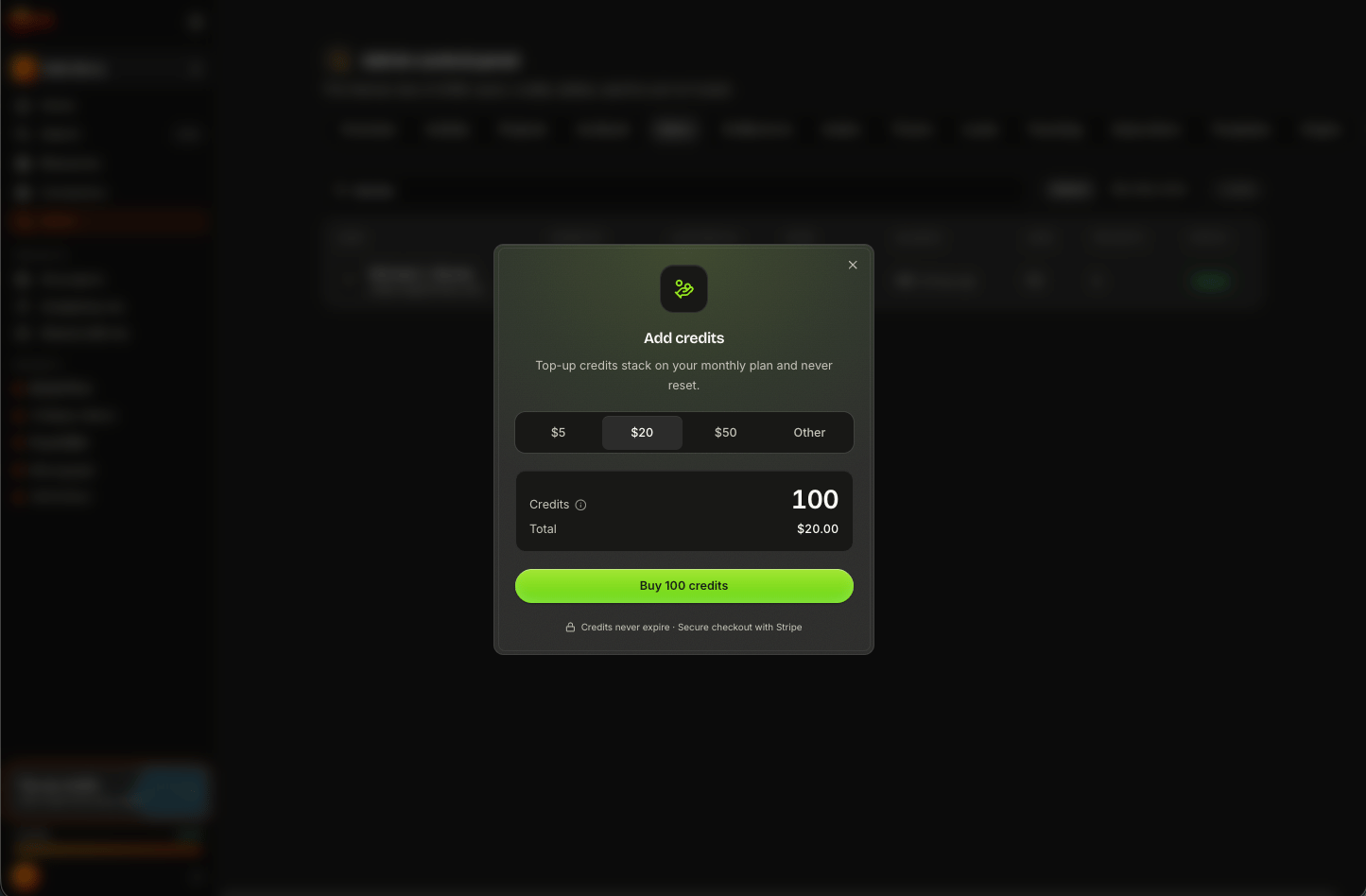
Always review the credit quantity and total displayed at checkout before completing your purchase.
Top-Up Credits Do Not Expire
Credits you purchase as a top-up do not expire. You don’t have to use them during the month you purchase them. For example:Your Plan Credits Are Used First
If you have both plan credits and purchased top-up credits, AIWA automatically uses your plan credits first. Your top-up balance is used after your available plan credits have been exhausted. For example:When Will My Credits Appear?
After a successful top-up payment, the purchased credits should be added to your AIWA account. You can check your current balance inside AIWA.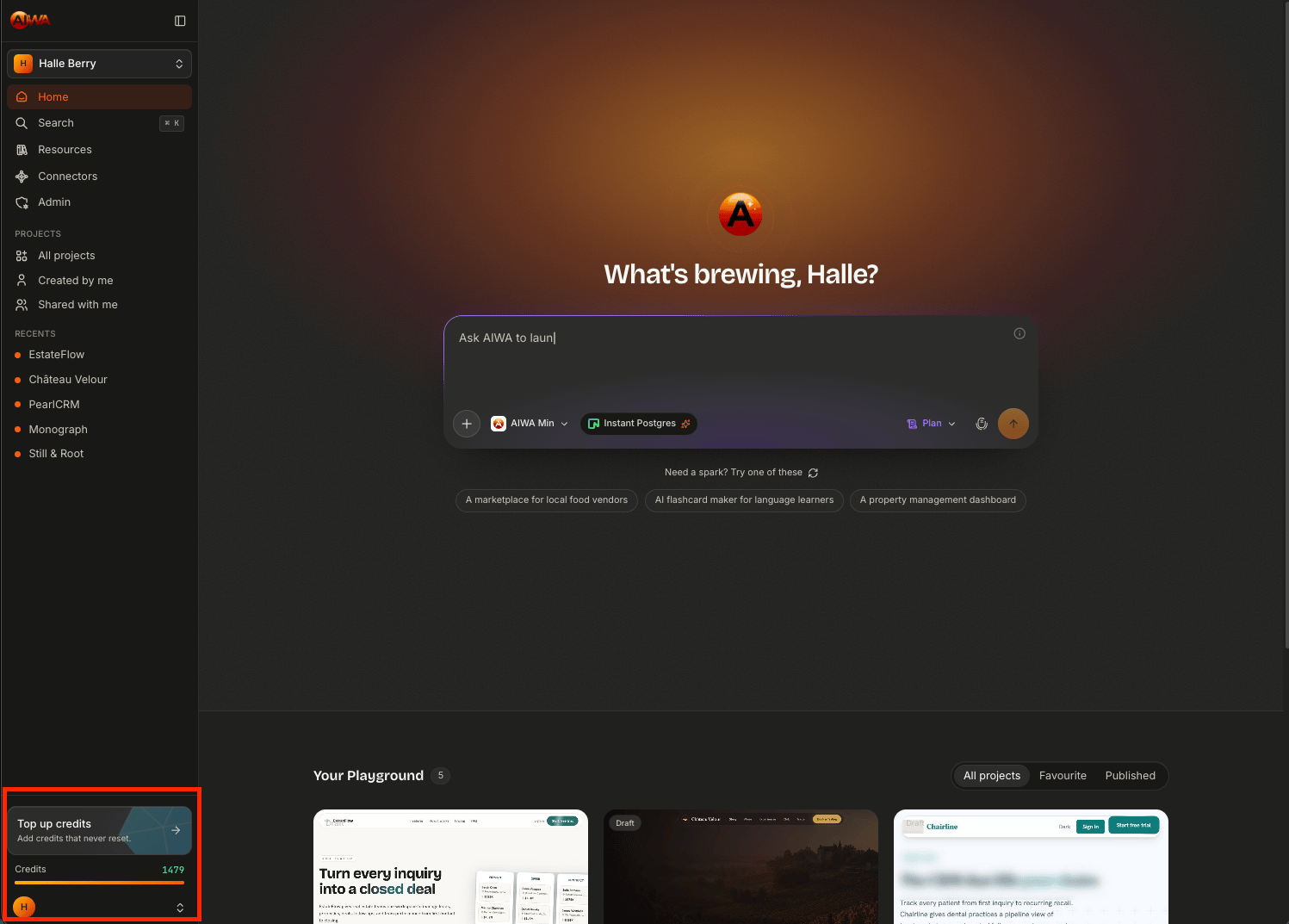
How Much Should I Top Up?
You can use AIWA’s typical action costs to estimate how many additional credits you might need. For example:
A 100-credit $20 top-up, for example, could provide roughly enough capacity for:
Top Up or Upgrade?
This is an important distinction. Top up when… Your higher usage is occasional. For example:I’m launching a new product this month and need another 300 credits.or:
I have a new client project and need some additional building capacity.A top-up lets you handle that temporary increase without changing your subscription. Consider upgrading when… You’re consistently purchasing additional credits because your normal plan allocation isn’t enough. For example:
You Don’t Need to Top Up to Publish
Remember:Publishing costs 0 credits.If you’ve finished building and have very few credits remaining, you don’t need to purchase more credits simply to publish the application.
Top-Ups Don’t Replace Your Monthly Allocation
Purchasing additional credits doesn’t cancel or replace the credits included with your plan. Think of your account as:Quick Reference
Need Help With a Top-Up?
If you’ve completed a top-up but don’t see the credits in your account, contact AIWA Support. When contacting support, include:- The email address associated with your AIWA account
- The approximate time of purchase
- The amount purchased
- Any payment confirmation or transaction reference available
Next: Upgrading & Downgrading
Next we’ll cover Upgrading & Downgrading, including what happens when you move between Launchpad, Solo, and Agency, how billing changes are handled, and, importantly, what happens to your accumulated and purchased credits when your plan changes.Upgrading & Downgrading
Move between AIWA plans and understand what happens to your credits.