
The Simple Version
When you ask AIWA to do something:A complete application build is typically around 50 credits. The exact amount can vary depending on the work required.
What Is a Credit?
A credit is AIWA’s unit for AI-powered product-development work. Instead of showing you:- Model tokens
- AI provider usage
- Infrastructure operations
- Internal generation steps
- Different AI model costs
Credits Are Not the Same as Prompts
One important distinction: Sending a prompt doesn’t automatically mean a fixed credit cost. What matters is the action AIWA performs. For example:Your First Build
Creating a new application is one of the most substantial operations AIWA performs. A full build can involve much more than generating a page. Depending on the application, AIWA may need to work through:“~50 credits” is an estimate rather than a guarantee that every first build will consume exactly 50 credits.
Launchpad and Your First Application
The Launchpad plan includes:45 monthly creditsNew Launchpad accounts also receive a:
10-credit one-time welcome bonusThat gives a new Launchpad user up to 55 credits initially, designed to give you enough capacity to experience a complete first build. For example:
The 10-credit welcome bonus is added once. It does not replenish every month. Your standard 45 Launchpad credits replenish monthly.
Editing an Existing Application
Your first build is only the beginning. Once AIWA has created the initial application, you can continue the conversation and evolve it. For example:Add a customer dashboard where users can manage their bookings.or:
Redesign the homepage to feel more premium while keeping the existing functionality.or:
Add another field to the registration form.A standard edit or iteration typically costs:
10 credits.This is why we recommend building iteratively rather than trying to describe every future feature in one enormous initial prompt.
Planning
Sometimes you want AIWA to think through a change before it starts modifying your application. That’s what Plan Mode is for. A Plan turn typically costs:6 credits.For example:
Plan how we should add a marketplace to this application, including sellers, listings, payments, commissions and buyer accounts. Don’t build it yet.AIWA can reason through the change first, giving you an opportunity to review the direction before implementation.
Debugging
When something isn’t behaving correctly, AIWA can investigate and fix the problem. An auto-debug fix typically costs:10 credits.For example:
Generating Images
If AIWA generates a new image for your application, image generation typically costs:4 credits per generated image.For example, AIWA might generate:
- Hero imagery
- Product visuals
- Background artwork
- Illustrations
- Brand-related assets
Transcription and Idea Shuffle
Smaller AI-powered actions require fewer credits. Actions such as transcription or idea shuffle typically cost:2 credits.This allows smaller AI operations to consume less of your balance than full builds or application edits.
Publishing Costs 0 Credits
This distinction is important: Publishing your application does not consume AIWA credits.Hosting Is Not Metered by Credits
Credits also aren’t a monthly hosting meter. Once you’ve published an application, AIWA doesn’t continuously subtract credits simply because the application remains online. For example:Credits Are Not Project Slots
Credits don’t represent a fixed number of projects. For example, having 130 credits does not mean:Why We Give App Estimates
On the AIWA pricing page, you may see estimates such as:Approximately 2 full appsor:
Approximately 15 full appsThese numbers are based on typical full-build usage. They’re there to make credit allowances easier to understand. They are not hard project limits. For example:
Why Can My Usage Be Different?
Applications aren’t all equally complex. Compare:Build a simple portfolio website for a photographer.with:
Build a multi-user SaaS platform with authentication, customer dashboards, project management, file uploads, payments, admin functionality and AI features.Those are fundamentally different products. Likewise, an edit such as:
Change the headline.is very different from:
Redesign the entire customer dashboard and restructure the navigation.AIWA’s credit system is designed around the type of AI work being performed rather than pretending every software-development task is identical.
Check Your Credit Balance
You can see your available credits inside AIWA.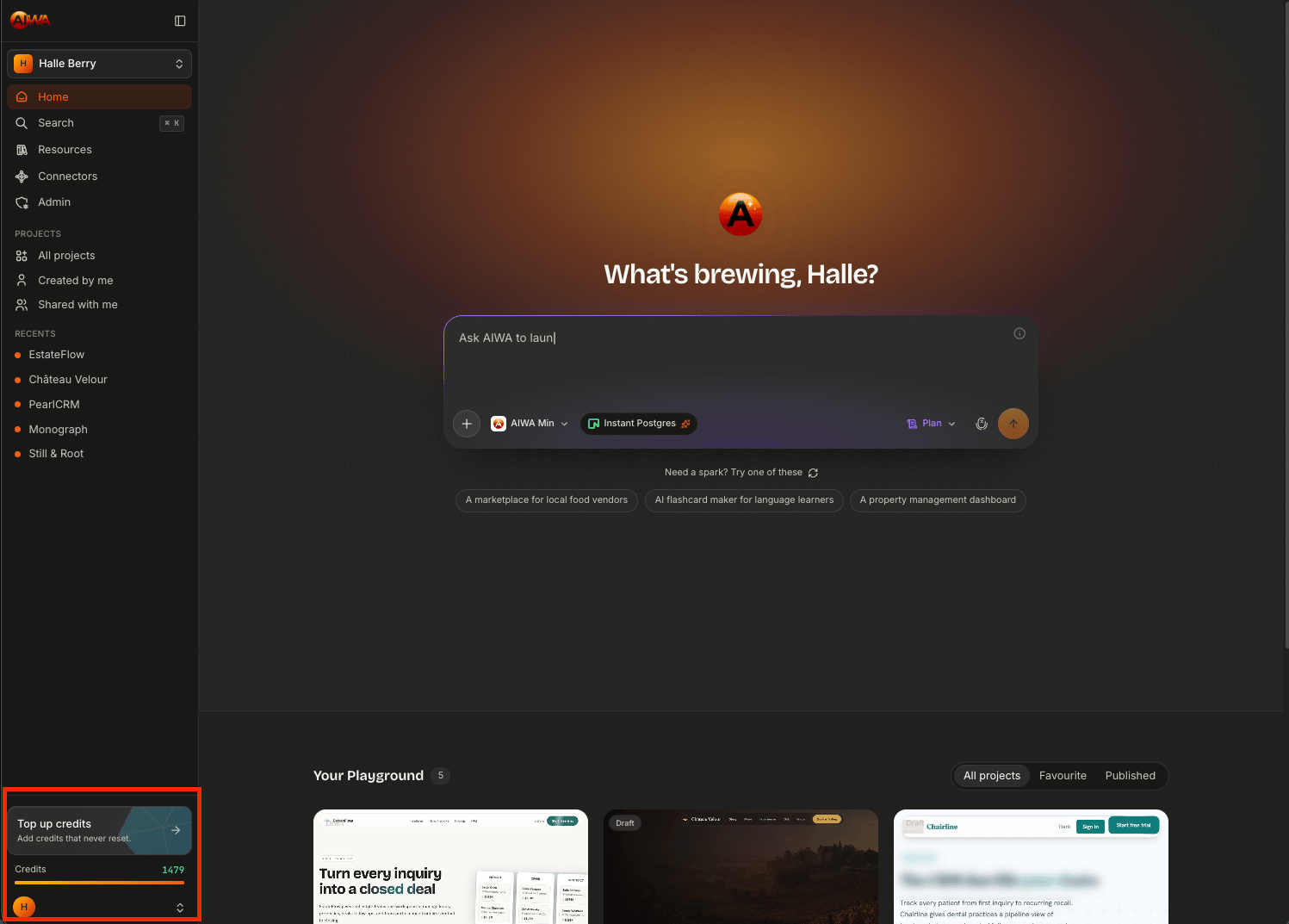
What Happens When I Run Out?
If you’ve used your available credits, you don’t lose your projects. Your existing applications remain yours. Running out of credits primarily means you need additional AIWA building capacity before performing further credit-consuming AI actions. Depending on your account, you can:- Wait for your next monthly credit allocation
- Purchase additional credits
- Upgrade your plan if you consistently need more capacity
Credits and Your Projects
A useful mental model is:Monthly Credits
Most AIWA plans include credits that replenish according to the plan’s billing cycle. For example:Additional Credits
If you need more credits before your next allocation, you can purchase additional credits where available. These are different from the credits included with your recurring plan. That distinction matters, so we’ll cover it separately rather than burying it here.Using Credits Effectively
You don’t need to be afraid of using credits. They’re there to build with. But a few habits can help you get more value from them: Be clear about the outcome Instead of:Make this better.try:
Simplify the dashboard, make the four primary metrics more prominent, and reduce the visual density without removing existing functionality.Use Plan Mode for major changes Think through substantial architectural or functional changes before building them. Test before requesting another change Make sure the previous iteration actually needs changing. Group closely related changes Instead of sending five separate requests for tiny changes to the same section, combine related feedback into one coherent request when appropriate. Don’t combine unrelated major features Clarity is more important than trying to squeeze everything into one giant instruction. The goal isn’t simply to spend fewer credits. The goal is to get more useful product development from the credits you use.
Credits at a Glance
The easiest way to remember the system is:Your Credits Power the Product Loop
Ultimately, credits exist to support the way AIWA works:Next: Credit Cost Table
Next we’ll go deeper into what each action costs, so you can plan your building capacity with more precision.Credit Cost Table
See the credit cost for each AIWA action.