
- Appointment reminders
- Booking confirmations
- Order updates
- Lead notifications
- Verification messages
- Customer alerts
- Status updates
- Internal team notifications
What You Can Build with Twilio
Twilio can add real-time communication to many types of applications. Appointment remindersSend customers an SMS reminder 24 hours before their appointment.Booking confirmations
Send the customer a confirmation SMS after their booking is successfully created.Order updates
Notify customers by SMS when their order has been shipped.Lead notifications
Send the assigned sales representative an SMS when a high-value lead enters the CRM.Account alerts
Notify users when an important action occurs on their account.Twilio becomes the communication service behind the workflow you define.
Before You Start
You’ll need a Twilio account and the credentials required by the AIWA Twilio connector. Depending on the functionality you’re building, you may also need a Twilio phone number or other Twilio configuration.Twilio services, phone numbers, message availability, pricing, and regulatory requirements can vary by country and destination. Check your Twilio account for the requirements that apply to your use case.
Connect Twilio to AIWA
Open your AIWA project and navigate to Connectors. Find Twilio and select it.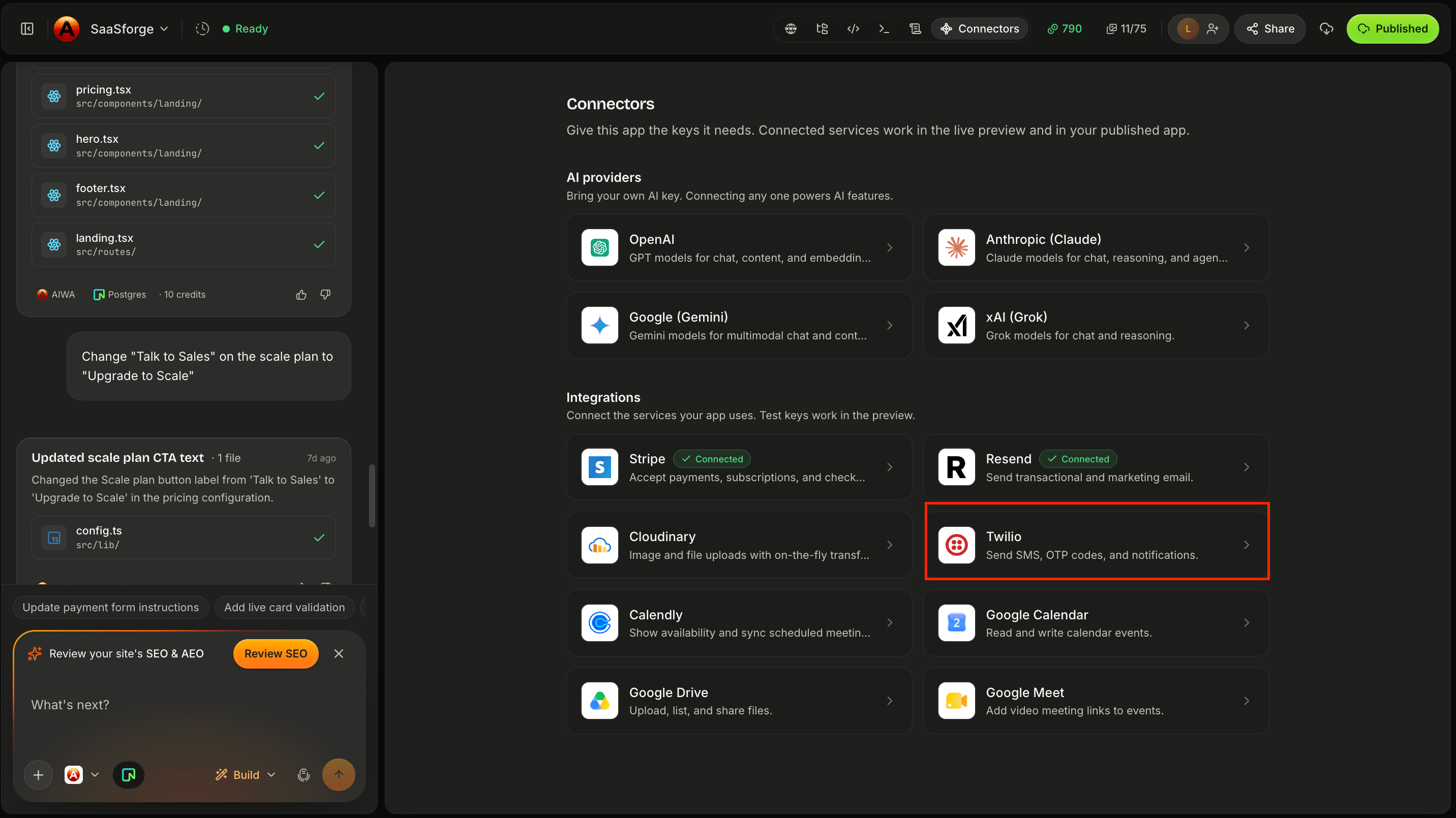
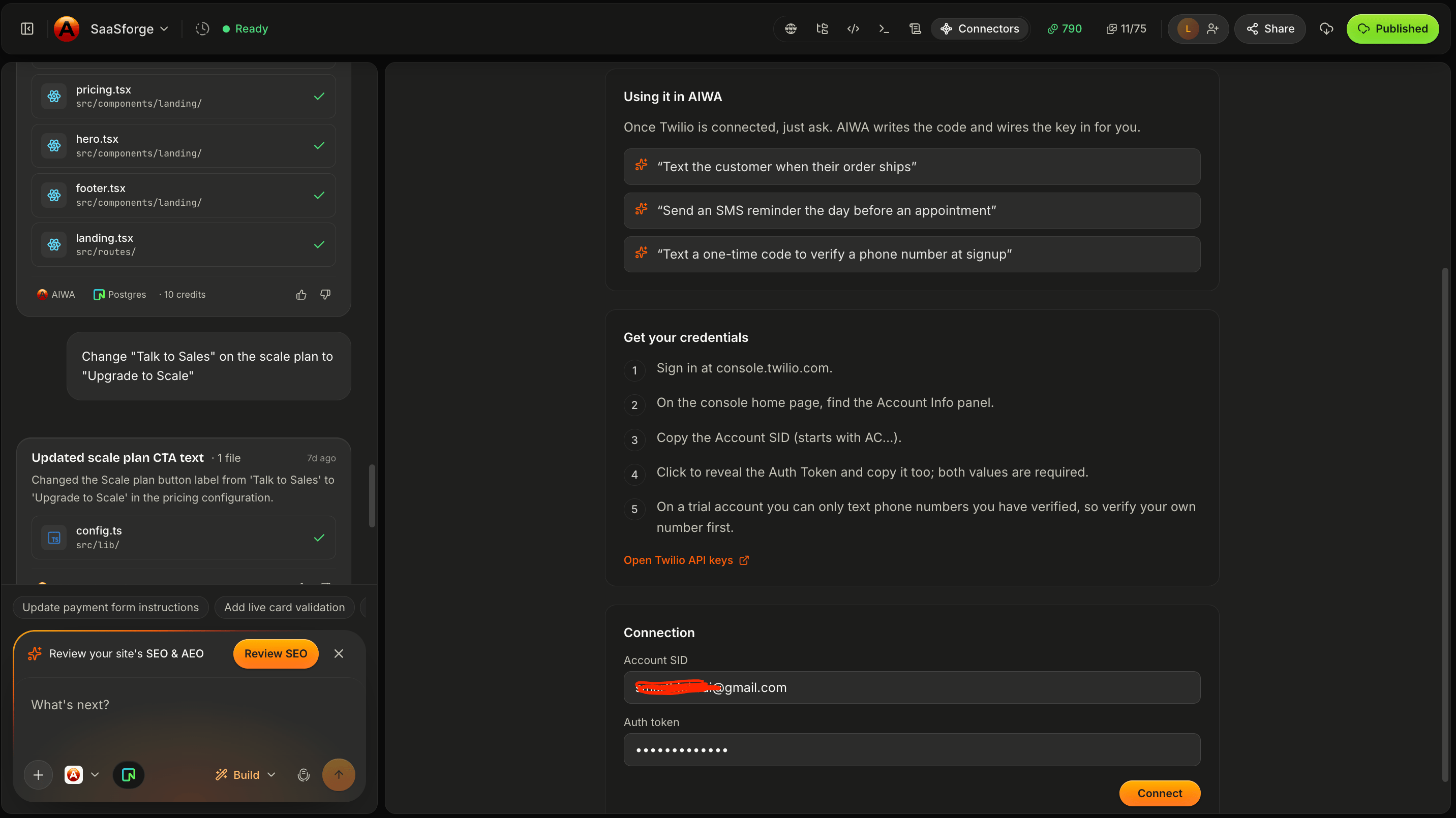
Build Your First SMS Workflow
Suppose you’re building a booking application. You could tell AIWA:After a booking is successfully confirmed, send the customer an SMS containing the service, appointment date, time, and booking reference.Conceptually:
Define the Trigger
Be clear about when the message should be sent. Instead of:Send customers an SMS.Try:
Send the customer an SMS immediately after their appointment is successfully confirmed.Or:
Send the assigned sales agent an SMS when a new lead with an estimated value above $10,000 is created.The event is what activates the workflow.
Define the Recipient
Tell AIWA where the recipient’s phone number comes from. For example:Send the SMS to the phone number the customer provided during booking.Or:
Send the notification to the assigned agent’s saved phone number.For applications that collect phone numbers, make sure the appropriate field exists and is validated.
Define the Message
SMS works best when messages are concise. For example:Personalize the SMS with the customer’s first name and include their appointment date, time, and booking reference.
Phone Numbers
Phone-number formatting matters when sending messages internationally. A phone number should generally be stored in a format that clearly identifies its country. For example:Validate Phone Numbers
Don’t wait until Twilio attempts delivery to discover that required phone information is missing. For example:Make phone number required for SMS appointment reminders and validate the number before saving the booking.You should also decide what happens if a customer doesn’t provide a valid number.
Example: Appointment Reminders
One of the most useful Twilio workflows is automated reminders. Suppose your application stores:Send customers an SMS reminder 24 hours before their confirmed appointment. Include the service, appointment date, and time.Conceptually:
Example: Booking Confirmation
You can combine email and SMS. For example:After a booking is successfully confirmed, send the customer a detailed confirmation email through Resend and a short confirmation SMS through Twilio.The workflow becomes:
Example: High-Value Lead Alert
Twilio can also be useful for internal notifications. Suppose your sales team wants immediate alerts for valuable opportunities.When a new lead is created with an estimated budget of $10,000 or more, mark the lead as High Priority and send the assigned sales representative an SMS containing the lead’s name, company, and estimated budget.Conceptually:
Example: Order Updates
For an e-commerce application:When an order status changes to Shipped, send the customer an SMS containing their order number and tracking information.The trigger isn’t the customer clicking a button. It’s a change in application data. This allows communication to follow the lifecycle of a record.
SMS Consent
Before sending automated or marketing-related messages, make sure your application collects any consent required for your use case and the countries where you operate. For example, your form may include an appropriate consent option for receiving SMS notifications. For high-volume or promotional messaging, review Twilio’s requirements and applicable regulations before launching.Transactional vs Marketing Messages
There’s an important difference between:Your appointment is confirmed for tomorrow at 2 PM.and:
Get 30% off when you book another appointment today!The first is related to an existing customer transaction. The second is promotional. Different requirements may apply depending on your location, recipient location, and type of message. Design your messaging workflow accordingly.
Don’t Send Messages from the Frontend
Twilio authentication credentials shouldn’t be exposed in browser code. The safer conceptual architecture is:Handle Delivery Failures
An SMS may fail to send even though the primary application action succeeds. For example:If the booking is created successfully but the confirmation SMS fails, keep the booking confirmed. Record the messaging failure without cancelling the appointment.This separates the core application action from the notification.
Avoid Duplicate Messages
Make sure the same application event doesn’t unnecessarily trigger multiple messages. For example:Send one confirmation SMS when the booking is first confirmed. Don’t send another confirmation simply because the customer views or refreshes the booking page.Your message should be tied to the correct event.
Common Problems
SMS isn’t sending
First determine whether the rest of the workflow works. For example:The booking is being created successfully, but the customer isn’t receiving the SMS.Then use Debug Mode to investigate the Twilio portion.
Invalid phone number
Check that the phone number is present and formatted appropriately for the destination. For international applications, pay particular attention to country codes.Twilio rejects the request
The error returned by Twilio can provide useful information. Copy the error message into Debug Mode without including sensitive credentials.Some countries receive messages and others don’t
Messaging availability and requirements can differ by destination. Check whether your Twilio account, sender, number, and messaging configuration support the affected destination.Customers receive duplicate messages
Tell AIWA:Customers sometimes receive two confirmation SMS messages for one booking. Investigate the trigger and ensure a confirmed booking produces only one confirmation SMS.
Debugging Twilio
A useful debugging request looks like:Expected: After a booking is confirmed, the customer should receive an SMS. Actual: The booking is created correctly, but no SMS is received. The customer’s phone number is saved on the booking. Error: [PASTE ERROR IF AVAILABLE] Debug the Twilio portion of the workflow without changing the existing booking functionality.This gives AIWA a specific area to investigate.
Test Your Workflow
Before publishing, test more than whether one SMS arrives. Check:- Is the message triggered at the correct time?
- Does it go to the correct number?
- Is dynamic information correct?
- Are dates and times correct?
- What happens with an invalid number?
- What happens if Twilio rejects the request?
- Are duplicate messages prevented?
- Are cancelled bookings excluded from reminders?
- Does the core action still succeed if the notification fails?
A Good Twilio Prompt
A strong communication request defines:- Trigger: When?
- Recipient: Who?
- Message: What?
- Conditions: Under what circumstances?
- Failure behavior: What happens if delivery fails?
Send customers an SMS reminder 24 hours before confirmed appointments. Send it to the phone number associated with the booking and include the customer’s first name, service, date, and time. Don’t send reminders for cancelled appointments. If SMS delivery fails, don’t modify or cancel the booking.That’s much stronger than:
Add SMS reminders.
Think in Communication Events
A useful pattern is: When X happens → send Y → to Z. For example:- Booking confirmed → Confirmation SMS → Customer
- Appointment approaching → Reminder SMS → Customer
- High-value lead created → Lead alert → Sales representative
- Order shipped → Tracking notification → Customer
Next: Cloudinary
Messages aren’t the only external assets your application needs. Applications often need to handle:- Images
- Profile photos
- Property galleries
- Product images
- Uploaded media
Cloudinary
Connect Cloudinary to store, transform, and deliver uploaded media.